 works with

Remote Power Control for Q-SYS Classrooms and Meeting Rooms
Extend your Q-SYS installation with reliable remote power control. The NETIO plugin for Q-SYS brings each outlet of a NETIO PDU into your design, so you can switch, reset and meter AV equipment from UCIs and control scripts, and recover an unresponsive endpoint without a site visit.
Get Compatible NETIO PDUsView Q-SYS Integration Guide
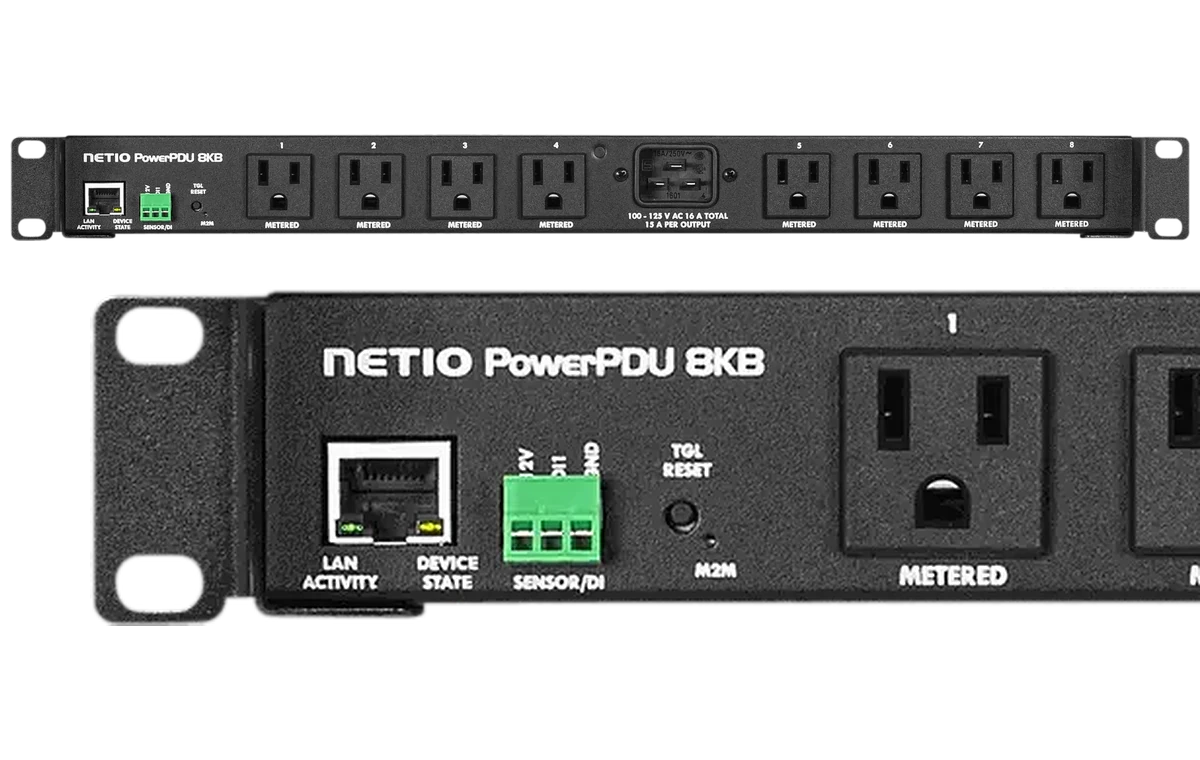
Recommended: NETIO PowerPDU 8KB
Why NETIO + Q-SYS?
Every outlet in your design
Switch each outlet On, Off or Reset, or all outlets at once with individual delays.
Recover unresponsive endpoints
Power-cycle a codec, capture PC or display that stops responding, directly from a Q-SYS UCI.
Energy data in Q-SYS
Read energy consumption per outlet on metering models such as the PowerPDU 8KB.
Runs on its own too
Power-up sequence, scheduler and WatchDog run inside the PDU, independent of the Q-SYS Core.
A university lecture hall
A lecture hall runs on a Q-SYS Core with a projector, PTZ camera, lecture capture PC and network switch, all powered by one PowerPDU 8KB in the rack. The NETIO plugin puts each outlet on the technician’s UCI. When the capture PC hangs before a lecture, campus AV staff reset that single outlet remotely, and the rest of the room keeps running.
Recommended NETIO products for Q-SYS
US models with NEMA 5-15R outlets, in stock in the NETIO US store.
NETIO PowerPDU 8KB
- Outlets: 8× NEMA 5-15R
- Connection: Ethernet
- Metering: Per-outlet metering
- Integration: NETIO plugin for Q-SYS (JSON API)
- 8 independently switched outlets
- Per-outlet energy metering
- Zero Current Switching
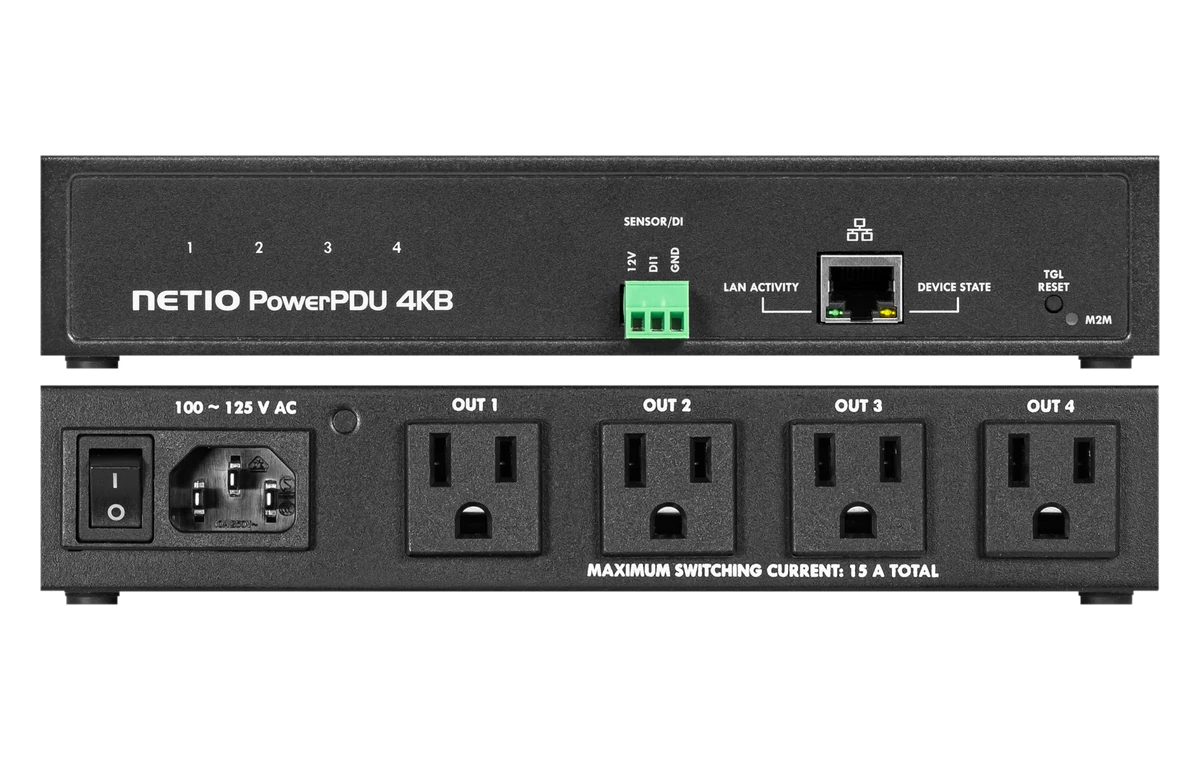
NETIO PowerPDU 4KB
- Outlets: 4× NEMA 5-15R
- Connection: Ethernet
- Metering: Per-outlet metering
- Integration: NETIO plugin for Q-SYS (JSON API)
- 4 outlets for smaller meeting rooms
- Per-outlet metering
- Half-rack size
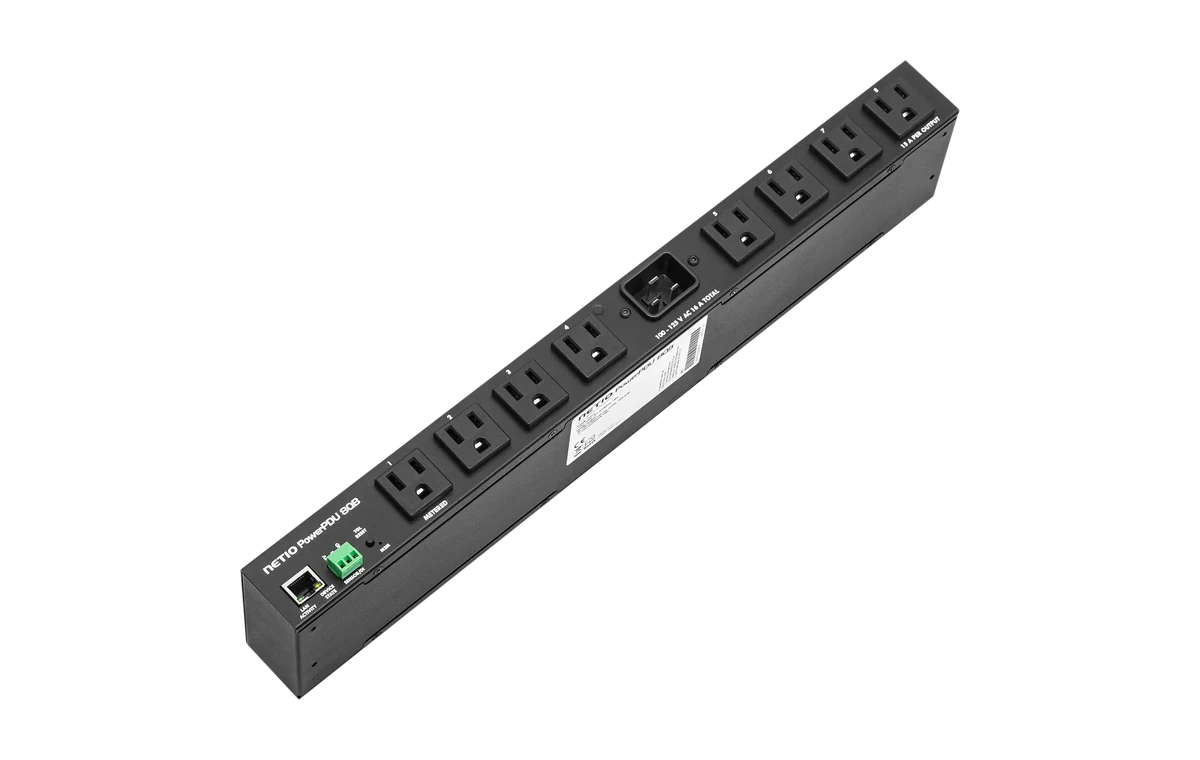
NETIO PowerPDU 8QB
- Outlets: 8× NEMA 5-15R
- Connection: Ethernet
- Metering: Total + outlet 1 metering
- Integration: NETIO plugin for Q-SYS (JSON API)
- 8 switched outlets at a lower price
- Total + outlet 1 metering
- 19″ 1U
How the integration works
Connect the PDU
Connect the NETIO PDU to the AV network and enable the JSON API in its web interface.
Add the NETIO plugin
Get the “NETIO Network Power Socket” plugin through Q-SYS Designer (released in Asset Manager, January 2025; requires Q-SYS Designer 9.10 or later). Add it to your design and enter the PDU’s IP address, port, username and password.
Control and monitor
Wire outlet controls to UCIs or scripts. Outlet state and energy values update every 300 ms.
Compatibility and technical details
| Platform | Q-SYS (Q-SYS Cores, Q-SYS Designer) |
|---|---|
| Platform versions | Q-SYS Designer 9.10 or later |
| Integration method | Q-SYS control plugin “NETIO Network Power Socket”, communicating over the NETIO JSON API |
| Supported NETIO products | NETIO devices running firmware 4.0.5 or later. Temperature readout, energy counter reset and outlet renaming require firmware 5.0.3 or later. |
| Control functions | Per outlet: On, Off, Reset. All outlets: On, Off, Reset with individual delays. |
| Monitoring functions | Outlet state, energy consumption (metering models), device name, temperature, uptime |
| Plugin availability | Q-SYS Designer Asset Manager |
| Requirements | JSON API enabled on the PDU. One PDU per plugin instance. |

6-year warrantyOn NETIO products made from Jan 1, 2025

UL & cUL Listed, FCC, TAAAll models featured on this page
Shipped from FloridaWith local US technical support
No cloud subscriptionWorks on your local network
Q-SYS FAQ
More questions? Ask our US team.
Start with one PDU. Scale when you’re ready.
Test NETIO in your next installation. Start with one intelligent PDU and expand your remote power management as your projects grow.