 works with

Integrate NETIO Remote Power Control into Crestron Systems
Give your Crestron program reliable, individually switched outlets. NETIO’s Crestron driver package for 4-Series processors includes a SIMPL+ module, a C# library and demo touch-panel projects, so you can switch, toggle and meter each outlet of a PowerPDU 4KB from your Crestron touch panels and logic.
Get Compatible NETIO PDUsView Crestron Integration Guide
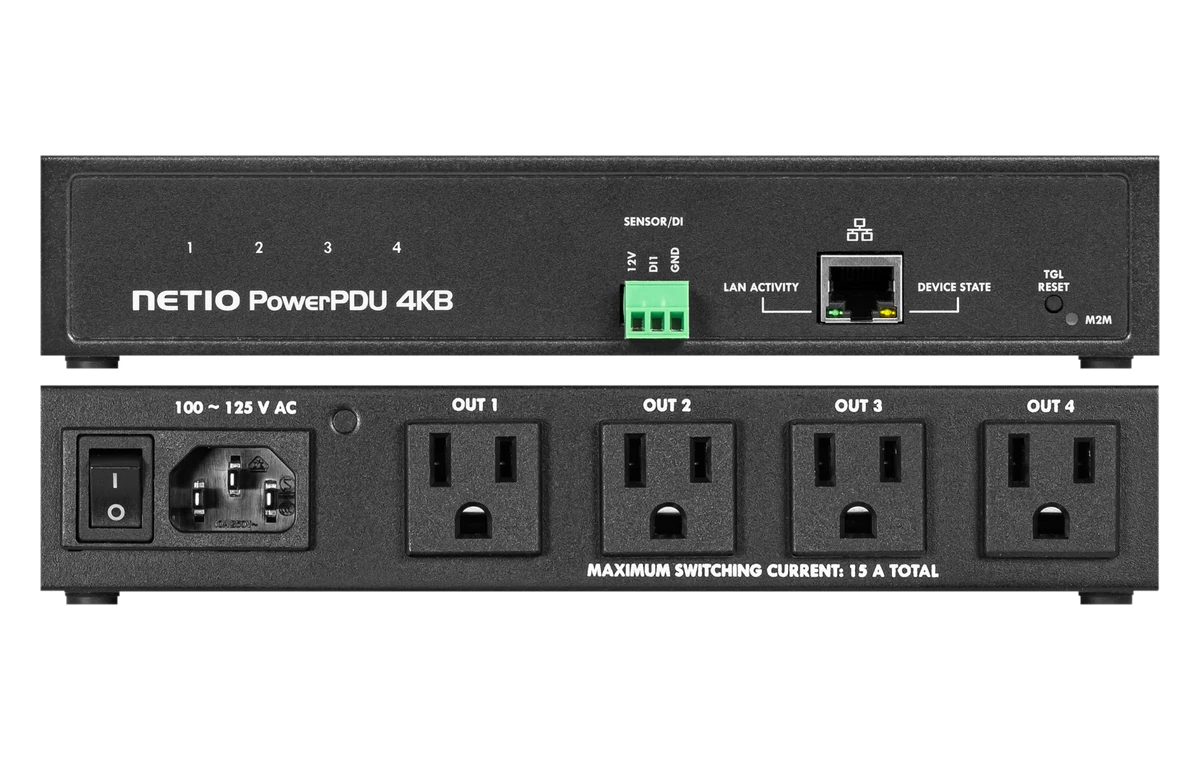
Recommended: NETIO PowerPDU 4KB
Why NETIO + Crestron?
Per-outlet control
Switch each outlet On, Off or Toggle/Reset from SIMPL Windows logic and Crestron touch panels.
Controlled sequencing
Combine Crestron logic with the PDU’s built-in PowerUp sequence and delays.
Energy feedback
Read energy consumption from metering models such as the PowerPDU 4KB.
Start from a working demo
The package includes a SIMPL demo program, a VTPro-e project and a compiled TSW-770 demo.
A boardroom (or a residential media rack)
An integrator programs a boardroom on a Crestron 4-Series processor. A PowerPDU 4KB in the rack feeds the display, codec, DSP and network switch. The Crestron program powers the equipment in order at room start-up, shuts it down at night, and gives the facility team a “restart codec” button on the touch panel. The same approach works in a residential media rack.
Recommended NETIO products for Crestron
US models with NEMA 5-15R outlets, in stock in the NETIO US store.
NETIO PowerPDU 4KB
- Outlets: 4× NEMA 5-15R
- Connection: Ethernet
- Metering: Per-outlet metering
- Integration: NETIO Crestron driver package (SIMPL+, C#; HTTP)
- 4 independently switched outlets
- Per-outlet energy metering
- Half-rack, rack kits available
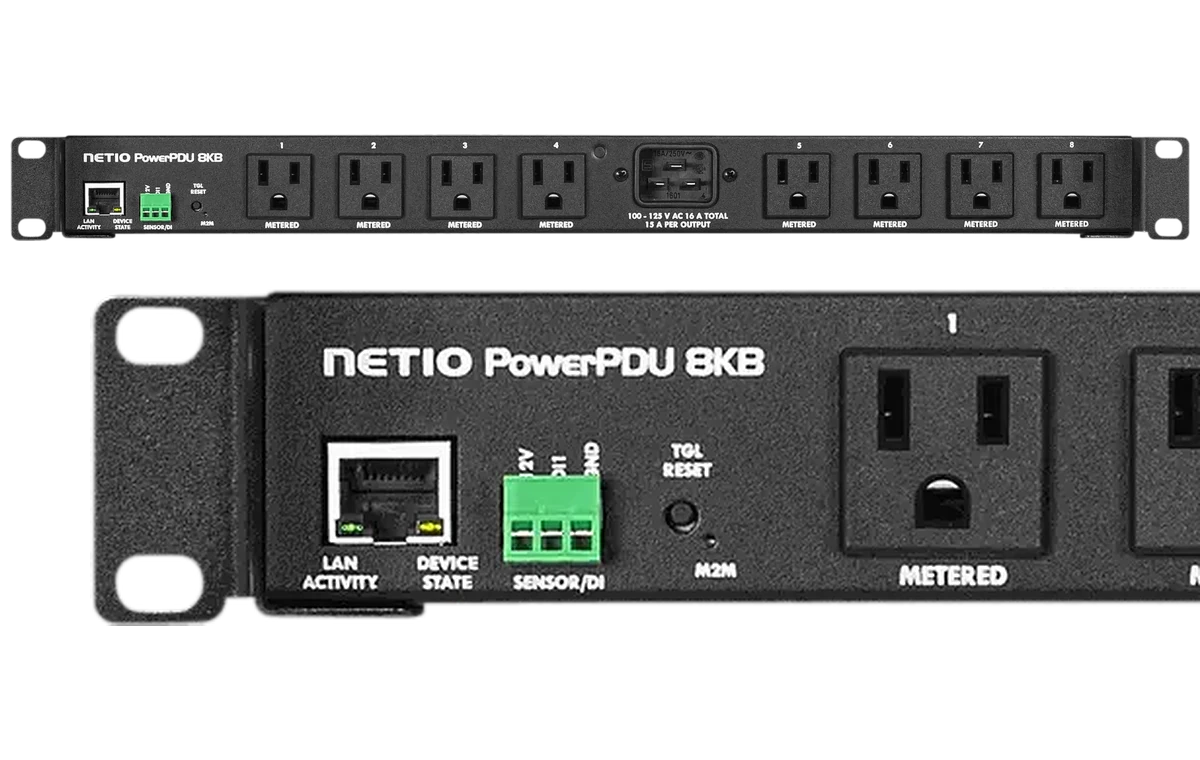
NETIO PowerPDU 8KB
- Outlets: 8× NEMA 5-15R
- Connection: Ethernet
- Metering: Per-outlet metering
- Integration: NETIO Crestron driver package (SIMPL+, C#; HTTP)
- 8 outlets for larger racks
- Per-outlet metering
- 19″ 1U
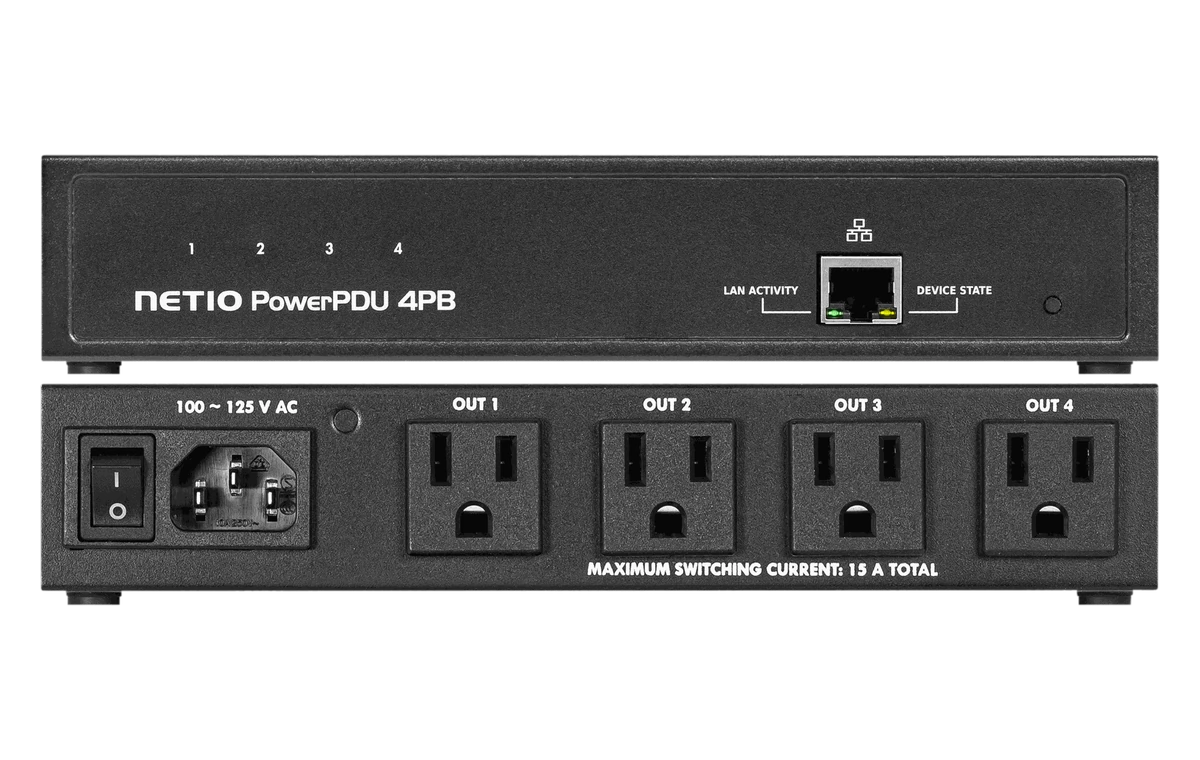
NETIO PowerPDU 4PB
- Outlets: 4× NEMA 5-15R
- Connection: Ethernet
- Metering: Switching only (no metering)
- Integration: NETIO Crestron driver package (SIMPL+, C#; HTTP)
- 4 switched outlets at a lower price
- Switching only (no metering)
- Compact
How the integration works
Connect the PDU
Connect the NETIO PDU to the control network and enable the JSON API in its web interface. The current driver communicates over HTTP.
Add the NETIO driver
Download NETIO’s Crestron driver package and add the SIMPL+ module and NetIODriver.clz library to your SIMPL Windows program, using the included demo as a starting point.
Program and control
Load the program to the 4-Series processor, connect the joins to your touch panel, and control and monitor each outlet.
Compatibility and technical details
| Platform | Crestron 4-Series control processors (SIMPL Windows) |
|---|---|
| Platform versions | Series 4 processors only, minimum CP4 firmware 2.8003.00056 |
| Integration method | NETIO driver package: SIMPL Windows demo, SIMPL+ module, C# library (NetIODriver.clz), VTPro-e demo |
| Supported NETIO products | NETIO devices running firmware 4.0.5 or later |
| Control functions | Per outlet: On, Off, Toggle/Reset |
| Monitoring functions | Energy consumption (metering models) |
| Driver availability | Download from NETIO (application note AN80) |
| Requirements | SIMPL Windows programming. The current driver uses HTTP. This is not a Crestron Home extension. |

6-year warrantyOn NETIO products made from Jan 1, 2025

UL & cUL Listed, FCC, TAAAll models featured on this page
Shipped from FloridaWith local US technical support
No cloud subscriptionWorks on your local network
Crestron FAQ
More questions? Ask our US team.
Start with one PDU. Scale when you’re ready.
Test NETIO in your next installation. Start with one intelligent PDU and expand your remote power management as your projects grow.